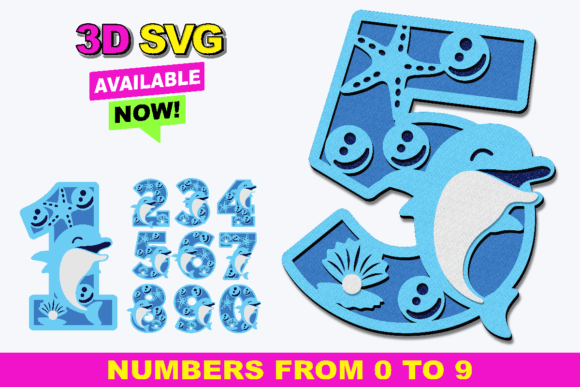
Alphabet and Numbers 3D Procreate Stamps for Creative Projects
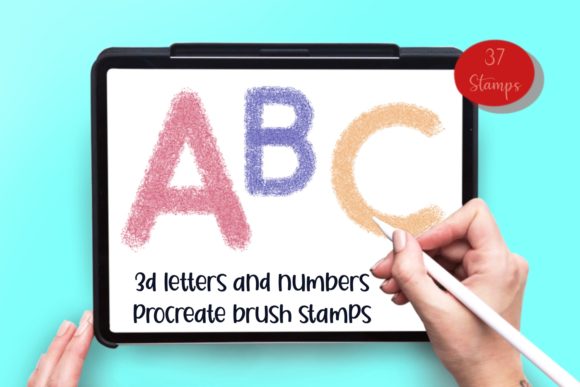
For artists, designers, and crafters looking to elevate their digital artwork, Alphabet and Numbers 3D Procreate Stamps offer a powerful tool that combines convenience with creativity. These stamps are ideal for anyone using the Procreate app on an iPad, whether you're a professional designer or a hobbyist. With a comprehensive set of numbers 0-9, signs, and capital letters A-Z, these stamps provide a quick way to add text elements to your projects without the need for manual typing.
The set includes 37 unique stamps, all contained within a single zip file. This means you can easily download and install the brushset directly into your Procreate app. The stamps are designed as brushsets, making them accessible even if you don’t have an iPad Pro or a pressure-sensitive stylus like the Apple Pencil. This flexibility makes the stamps suitable for a wide range of users, from those with basic setups to advanced digital artists.
Effortless Design with Pre-Made Stamps
One of the most appealing aspects of Alphabet and Numbers 3D Procreate Stamps is the time they save. Instead of manually typing out text or drawing each letter, you can simply tap the stamp tool and place the desired character or number onto your canvas. This feature is especially useful when working on projects that require repetitive text elements, such as invitations, greeting cards, or promotional materials.
These stamps also allow for instant results, which is crucial when working under tight deadlines. Whether you're creating a custom design for a client or preparing a batch of printed items, the ability to quickly add text can streamline your workflow significantly. The 3D effect of the stamps adds a tactile quality to your designs, making them stand out in both digital and physical formats.
Applications Across Various Projects
The versatility of Alphabet and Numbers 3D Procreate Stamps makes them suitable for a wide array of creative applications. From personal projects to commercial use, these stamps can enhance your work in numerous ways. For example, they are perfect for designing custom cards and invitations, where clear and stylish typography is essential. You can use the stamps to add dates, names, or special messages with ease.
They also work well for creating leaflets, brochures, and other marketing materials. The ability to quickly insert numbers and letters helps maintain consistency across multiple pages or designs. Additionally, these stamps can be used for decorative purposes on mugs, laptop decals, and wall art. Their high-quality design ensures that the text looks professional and polished, no matter the medium.
Scrapbooking is another area where these stamps shine. Whether you're creating a memory book or a personalized journal, the stamps allow you to add labels, captions, and titles effortlessly. They can also be used in embroidery designs, where precise and clean text is necessary for stitching. The stamps’ compatibility with Procreate makes them a valuable addition to any digital artist’s toolkit.
Why Choose These Stamps Over Traditional Methods?
While traditional methods of adding text to digital artwork involve typing or drawing each character individually, Alphabet and Numbers 3D Procreate Stamps eliminate this tedious process. This not only saves time but also reduces the risk of errors or inconsistencies in your design. The stamps are pre-designed with consistent spacing, size, and style, ensuring that your text looks uniform and professional.
Another advantage is the visual appeal of the 3D effect. Unlike plain text, these stamps add depth and dimension to your artwork, making it more engaging and eye-catching. This feature is particularly beneficial when creating designs for print or display, where texture and detail can make a significant difference.
Moreover, the stamps are easy to customize. While they come pre-set as stamps, you can adjust their size, color, and placement within Procreate to fit your specific needs. This level of flexibility allows you to experiment with different layouts and styles without having to redraw everything from scratch.
Getting Started with Alphabet and Numbers 3D Procreate Stamps
To begin using these stamps, you’ll need to download the zip file and extract the brushset. Once you’ve done that, open Procreate on your iPad and navigate to the brush library. From there, you can import the brushset and start using the stamps immediately. The process is straightforward, and most users find it easy to integrate the stamps into their existing workflow.
It’s important to note that these stamps are specifically designed for Procreate and will not work with other software like Photoshop. If you’re using a different platform, you may need to look for alternative solutions. However, for Procreate users, this brushset offers a seamless and efficient way to add text to their digital creations.
Whether you’re a seasoned designer or just starting out, Alphabet and Numbers 3D Procreate Stamps can help you achieve professional-looking results with minimal effort. Their practicality, versatility, and ease of use make them a valuable asset for anyone involved in digital art, graphic design, or creative crafts.